ホームに戻る
出典 :
関連 :
目次 :
ItemsControl ( System.Windows.Controls.ItemsControl )
コレクションの一覧を表示することができるコントロール。柔軟性が高く、多様なカスタマイズが可能である。
他のコントロールとの関係
ItemsControl は DataGrid 、ListBox 、ComboBox の基底クラスであり、コレクションを取り扱う点で共通している。
通常、ListBox や ComboBox はコレクションを一次元に、DataGrid は二次元に展開するが、ItemsControl はそのいずれもが可能で汎用性が高い。
( ListBox も表示形式を指定することでコレクションを二次元に展開することができる。)
また DataGrid は個々のマスをオブジェクト化するため、大量のデータを取り扱うと処理負荷が増大するが、ItemsControl は比較的軽量である。
例1 : Template と ItemTemplate を指定
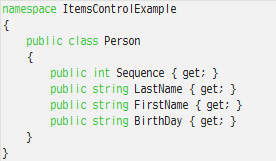
Model : Person.cs
コンストラクタは省略。
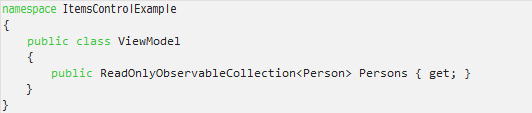
ViewModel : ViewModel.cs
コンストラクタは省略。
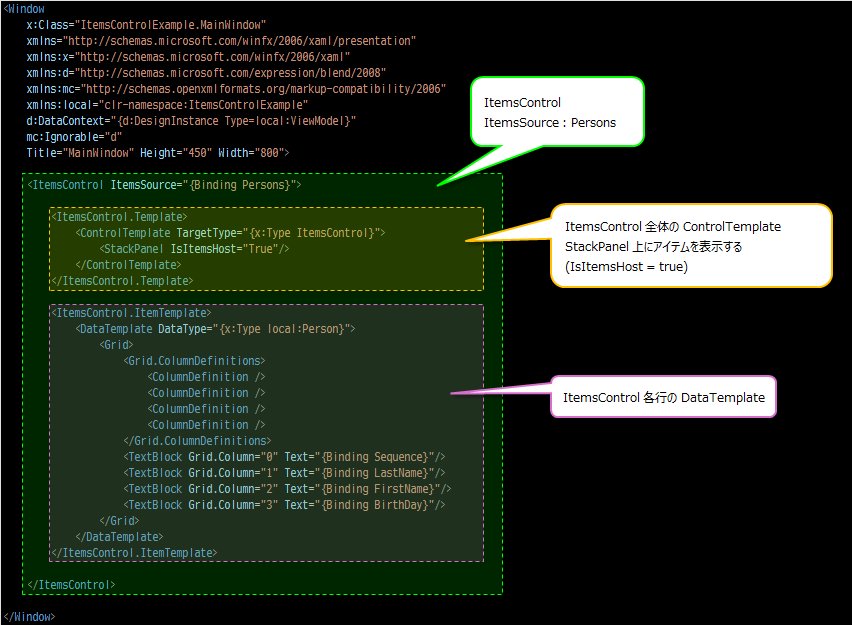
View : MainWindow.xaml
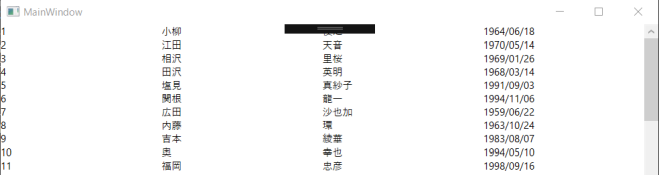
実際の表示
解説
ItemsControl は ListBox や DataGrid などの派生コントロールと異なり、項目を表示するための土台や各行(項目)の表示方法を明示的に指定する必要がある。
(デフォルトの表示形式が規定されていない。)
ここでは ItemsControl.Template に土台( ContentTemplate )を、ItemsControl.ItemTemplate に各行の表示形式( DataTemplate )を指定している。
例2 : ItemTemplate と ItemsPanelTemplate を指定
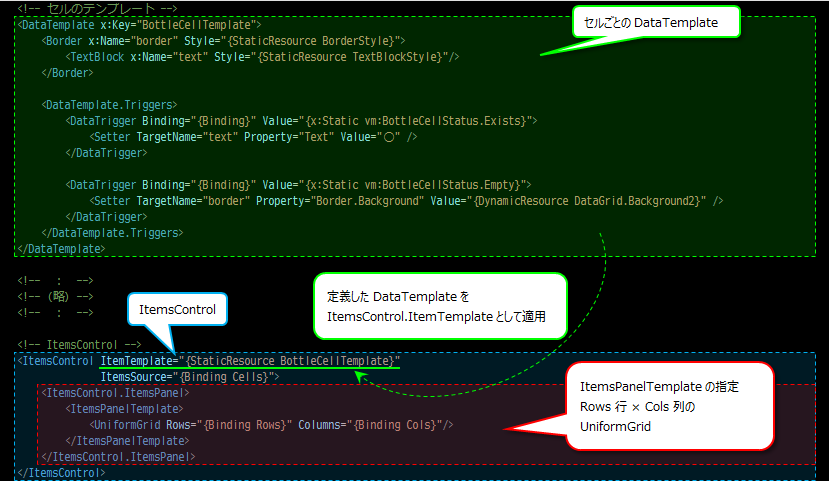
View : ####.xaml (抜粋)
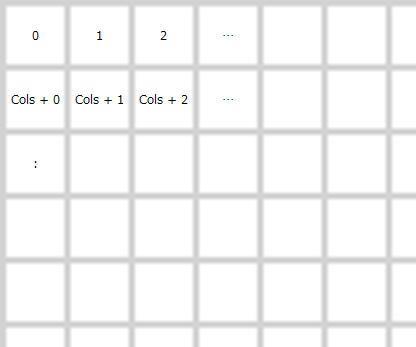
表示イメージ(枠内は ItemsSource のインデクス)
解説
表形式( Rows 行 Cols 列)での表示。例1とは異なり ItemsControl.Template は指定せず、ItemsControl.ItemsPanel.ItemsPanelTemplate を指定している。
ここで ItemsSource は1次元配列であり、総要素数は Rows × Cols である。表示例のように行方向に Cols 個の要素を並べたら折り返す。